

The Tabata Video
- At the start of the Tabata video – and during each rest interval – you’ll see a short preview of the next exercise in the bottom-left corner.
- A voice guides the timing, letting you know when to rest and when to begin.
- Rest while watching, then perform the exercise for 20 seconds.

Exercise Execution
- Not sure about the technique? Watch the instructional videos below the Tabata video first.

- Can’t quite manage an exercise? Feel free to adapt it!
- You can do push-ups on your knees or push against a wall.
- Squats can be done as half squats or simply by sitting down and standing up from a chair.
Warm-up
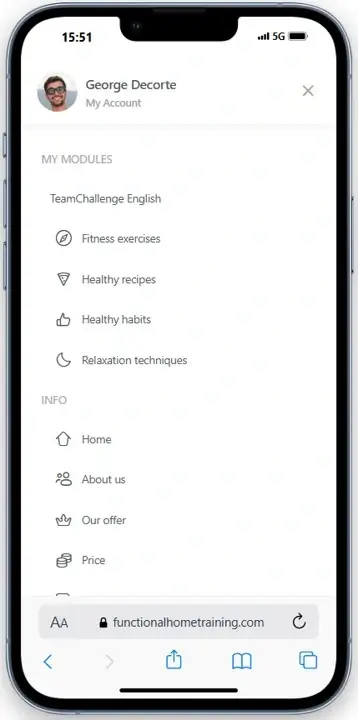
- Before starting your Tabata, it’s always a good idea to warm up a bit.
- You’ll find a short warm-up under each Tabata session, which you can follow at your own pace.
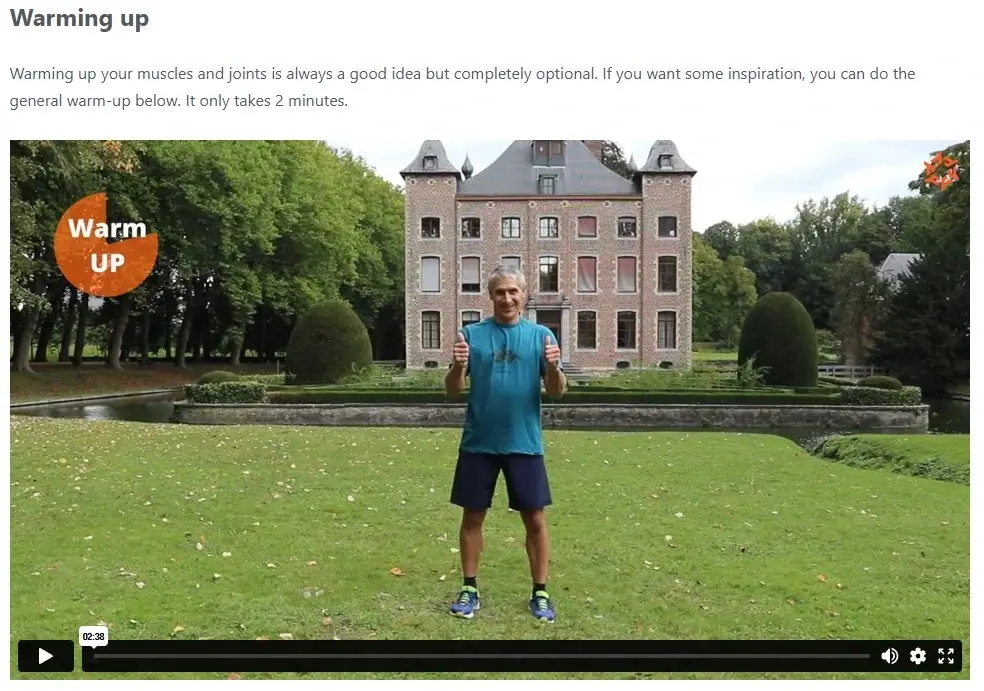
- After logging in, you’ll be automatically redirected to the TeamChallenge page.
- Next, click ‘Start Course’.
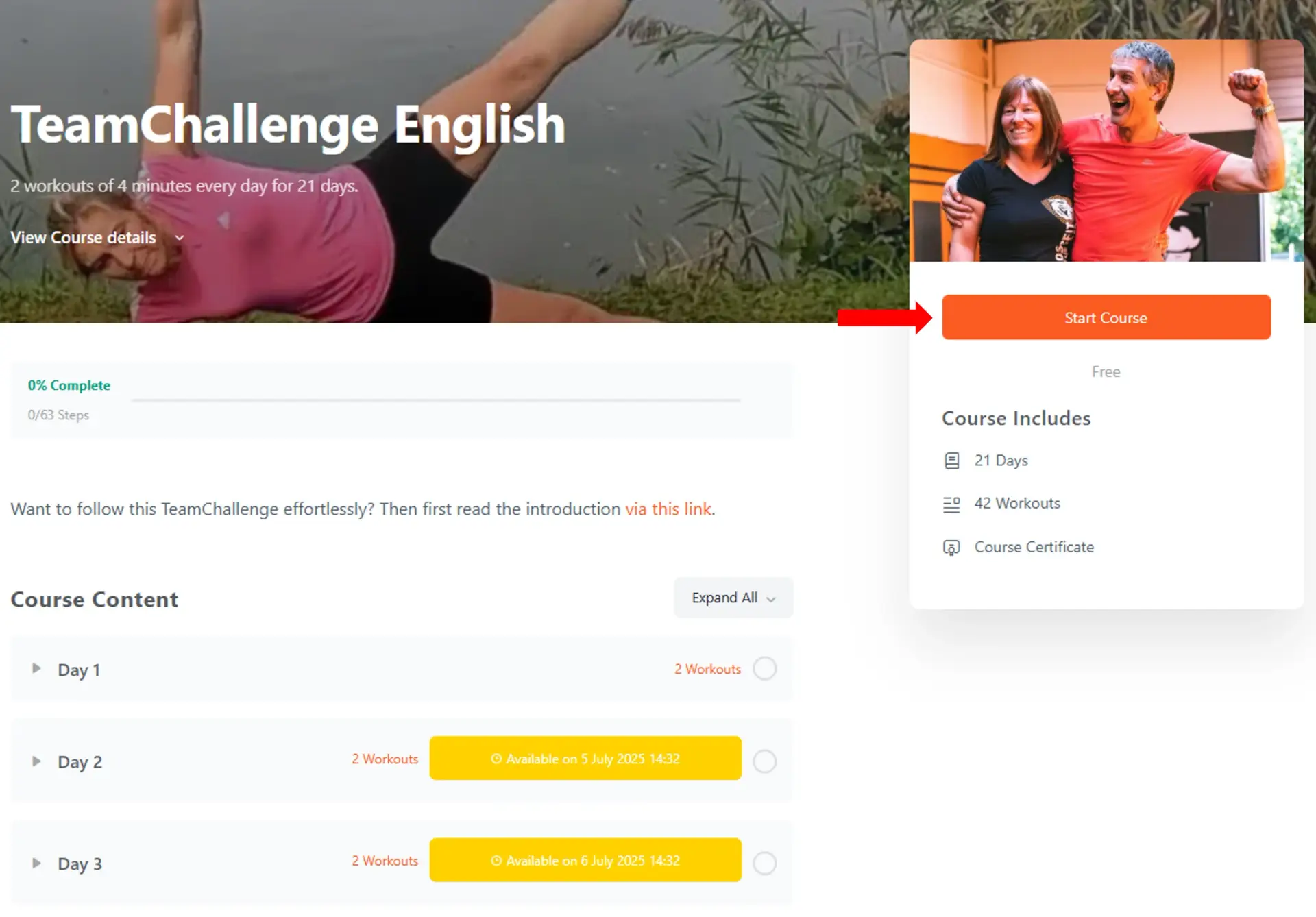
- Click on Day 1 – Tabata A to complete your first workout.
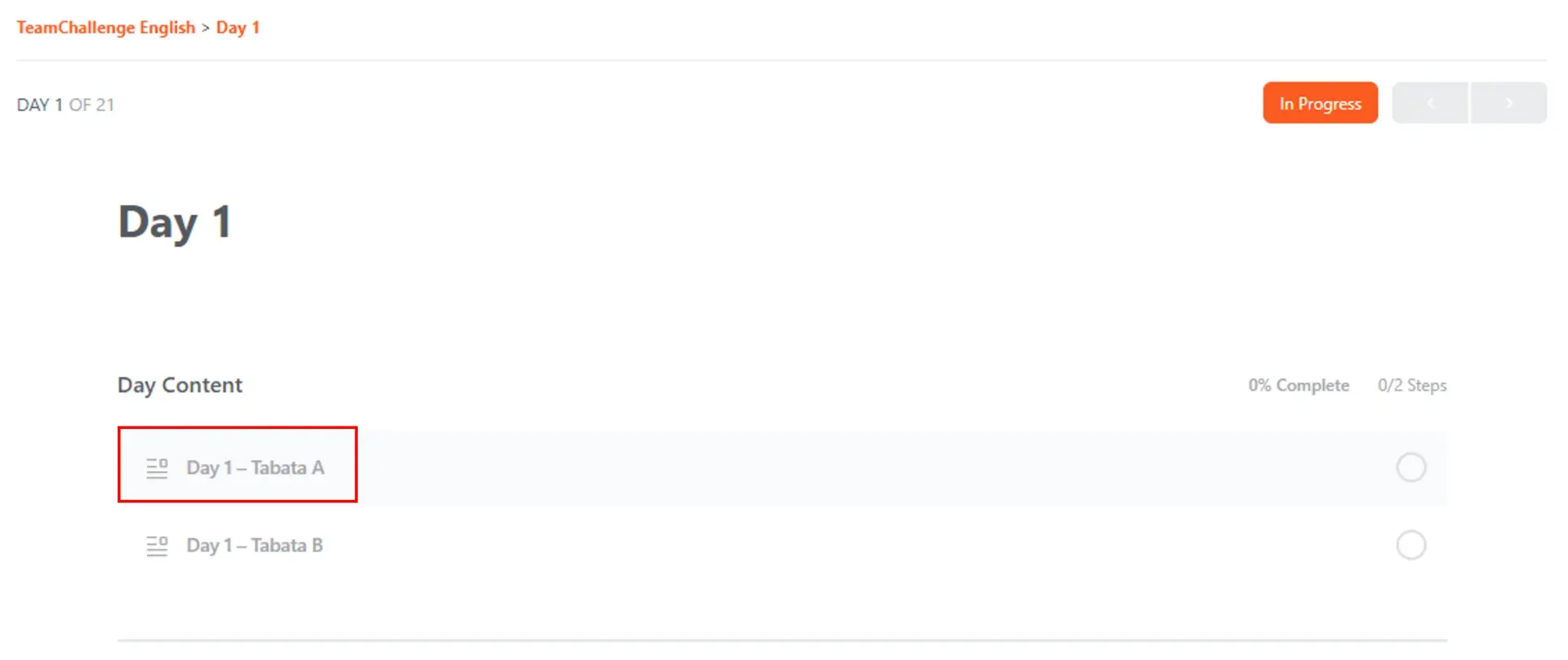
- After reading the information below the video, you can start the Tabata video by pressing the play button.

Finishing the Tabata (very important!)
- Once you’ve completed the workout, scroll all the way down the page and click the button ‘Mark Complete’.

- You won’t be able to proceed to the next workouts until you’ve marked the current one as completed.
- Only the workouts that have been unlocked for that day can be completed.
- Everything done? Great! Just log in again the next day to continue. See the next section.
- Log in every day and click ‘Continue’ to proceed.
- You’ll be taken right back to where you left off.
- Missed a day? No worries – you’ll always have access to the workouts from previous days.

- Completed workouts are marked with a green check mark.
- Workouts that aren’t available yet are shown in a yellow box with the time they’ll be unlocked.
- Check your menu bar. Your team leader should have invited you to the closed group.
- If they’ve done so, you’ll receive a notification.
- You can easily accept it via your profile name by selecting ‘Groups’ > ‘Pending Invites’.
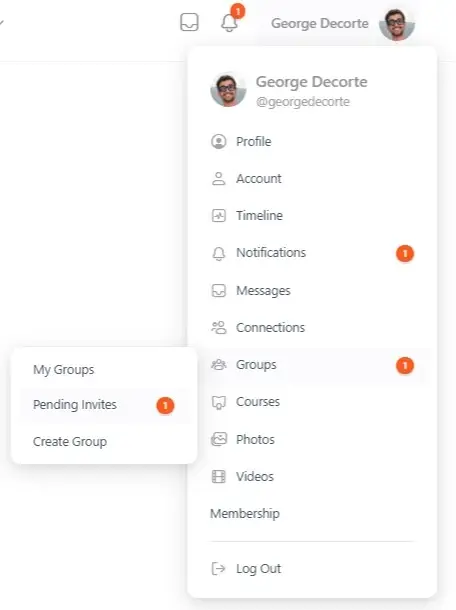
- You’ll then land on a screen asking you to join the group.
- You can accept the invitation by clicking ‘Accept’.
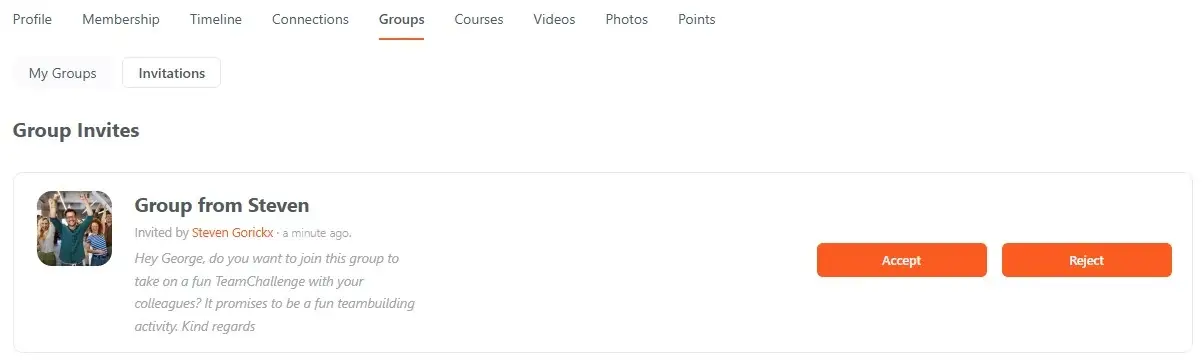
You’re now a member of the group and can share information, upload photos, start conversations, and view scores. The platform is fully secured against misuse by third parties.
- Working out together is even more fun when everyone has a recognizable profile.
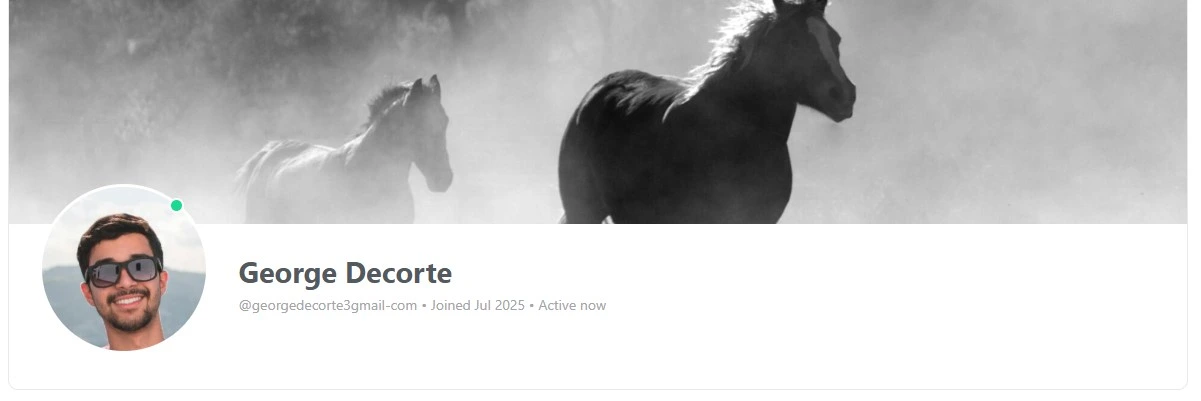
- So be sure to add a profile photo and a cover photo to keep communication smooth within your group.
- To do that, click your Profile Name in the menu bar, then select View.

- Click the empty boxes on your profile page to add photos. You’ll instantly see whether your profile is up to date.

- Once your profile is fully updated, the percentage indicator will automatically disappear.
Important for GDPR
Your data will not be shared with third parties. After the event, you can delete your account yourself via the profile menu. This will permanently erase all your information from our database..
- Each completed workout earns you a point.
- You can view your total points through your profile. Click your Profile Name in the menu bar and go to Profile/View.
- Click the Points tab on your profile page to view the points you’ve earned.

Leaderboard
Through the leaderboard, you can keep track of your teammates’ progress.
- Head to the profile menu and navigate to Groups > My Groups to access it.
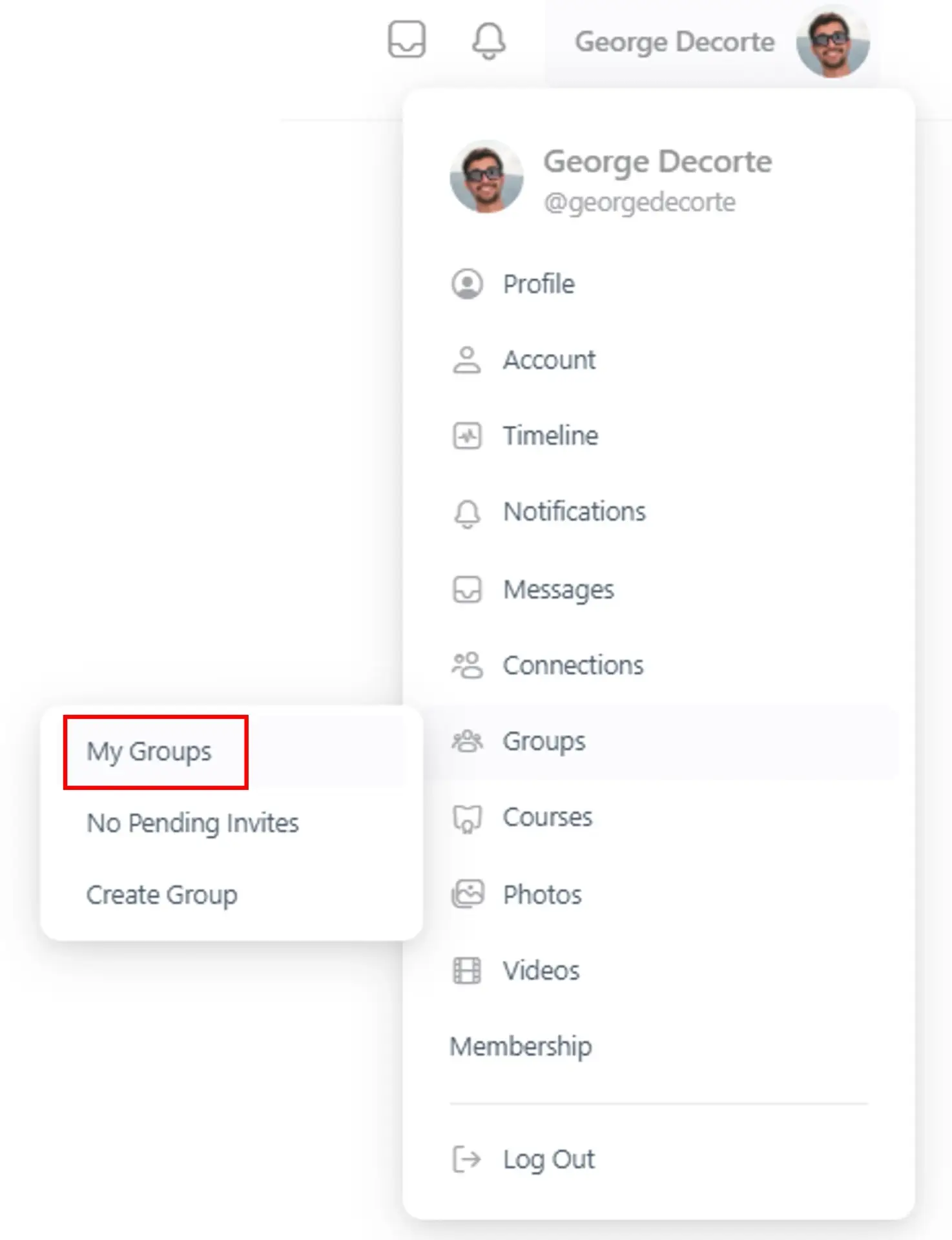
- Click on the name of the group you’re a member of.
- On the group page, you’ll find a Leaderboard tab showing your teammates’ rankings, including yours.

During the challenge, you’ll not only have access to the daily workouts, but also to all modules of Functional Home Training. Be sure to check them out via the member menu.
Member menu on desktop
After logging in, you’ll see the member menu icons appear on the left side of your screen. Use the expand button to easily open or collapse the menu.

Member menu on mobil